PulseDev for React.Click it, fix the JSX.
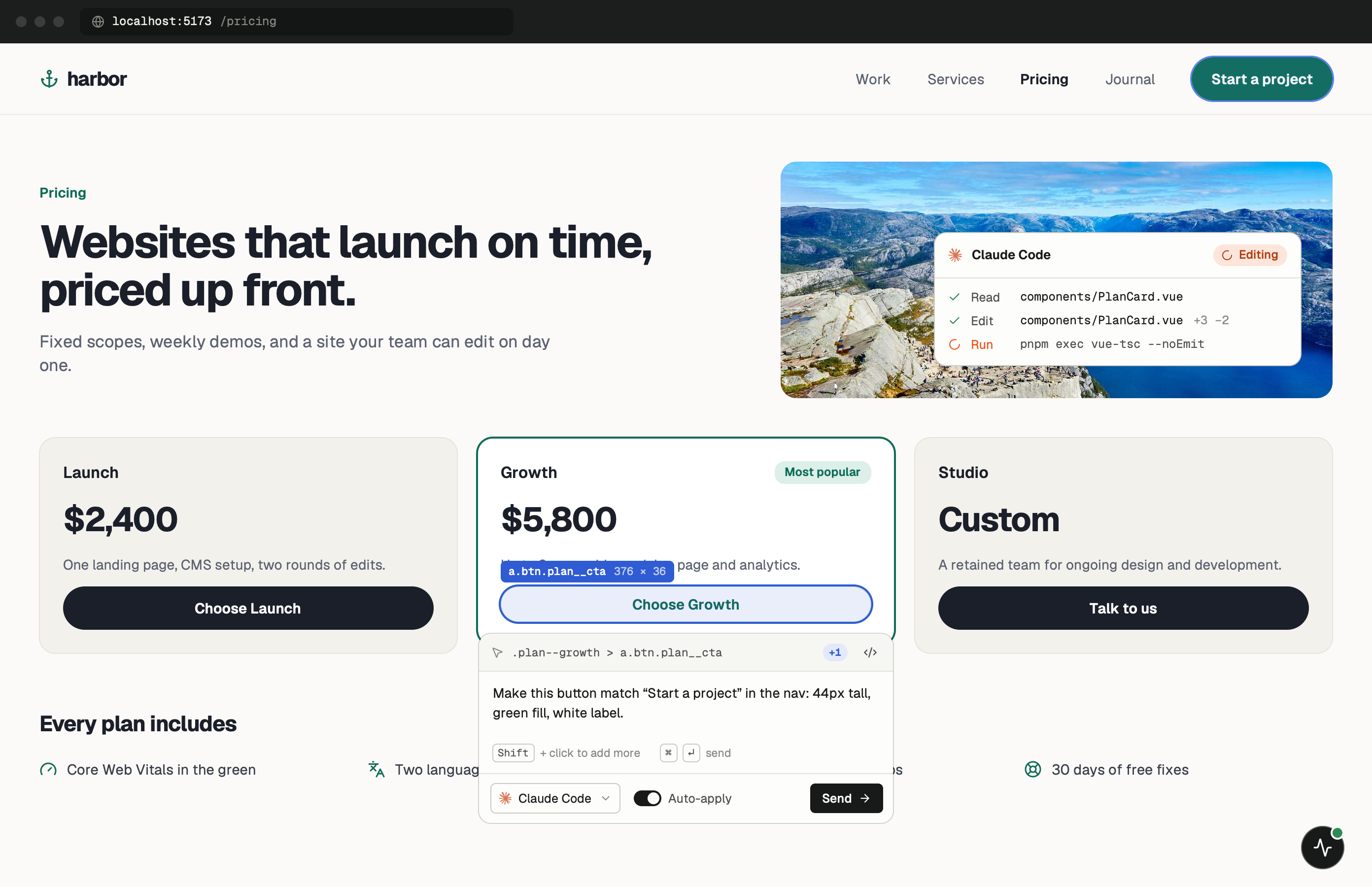
Click any element in your running React app and say what’s wrong. Your agent opens the component behind it, and Vite HMR shows the edit before you approve the diff.
One minute of setup.
None of it ships.
Paste one tag into index.html and start your dev server. Keep the PulseDev app open while you work; it runs the server on port 3899 that the widget talks to. Or click Set up project in the app and it does this for you.
- Add
Paste the script tag.
Put it in index.html, the page every route shares. Remove the tag, or keep it out of production builds.
index.html <!-- just before </body>, dev only --> <script src="http://localhost:3899/widget.js" data-token="YOUR_TOKEN"></script> - Run
Start Vite as usual.
The widget shows up in the corner of every page. Click it, then click the element you want changed.
terminal $npm run dev➜Local:http://localhost:5173/➜PulseDev:widget connected
It fits how
React works.
A click carries more than a selector. The page, the element and its selector go to your agent, which follows them to the right file.
Any React setup
Vite, Create React App or a custom build. The widget reads the rendered page, so your bundler doesn’t matter.
Hot reload feedback
The agent edits your component and HMR shows the result in the same tab before you approve the diff.
Your styling stack
Tailwind, CSS Modules, styled-components or plain CSS. The agent follows the pattern already in your project.
Page and selector
The page, the element and its selector go to your agent, which follows them to the right file.
React questions.
- Does it work with Vite?
- Yes. It works with Vite, Create React App and any other React build tool, because it only needs the page to render on localhost.
- Does it support TypeScript?
- Yes. Your agent reads and edits .tsx files like any other source file.
- Can I use it with Tailwind CSS?
- Yes. Tailwind, CSS Modules, Styled Components, Emotion and vanilla CSS all work.
- Is there a native React package?
- It’s coming. The script tag works today, and the package will add component, props and source location to every click.
Your React app is running.Go point at the bug.
Windows coming soon. Free to start.