PulseDev for plain HTML.Click it, fix the CSS.
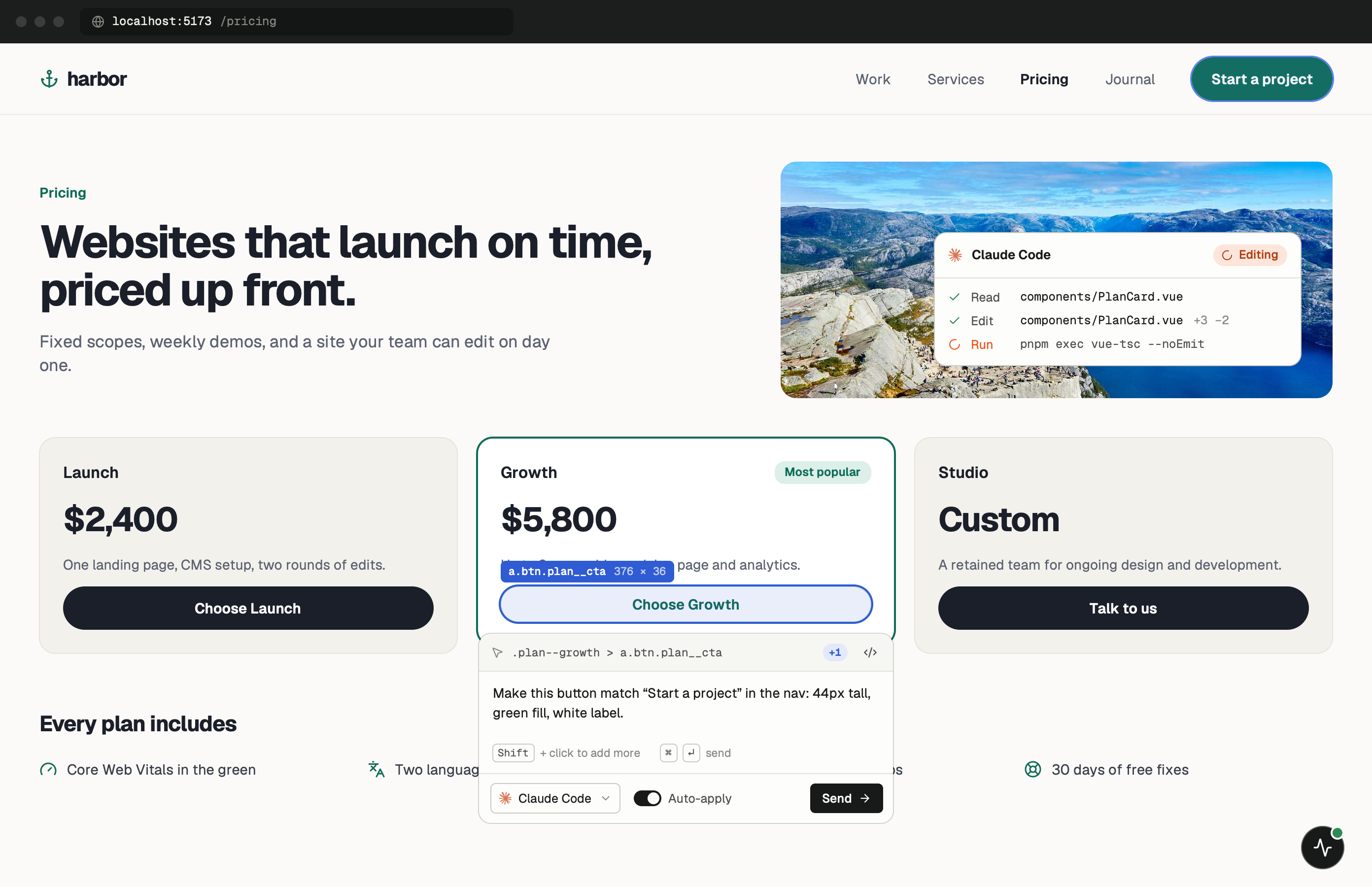
Click any element on your running page and say what’s wrong. Your agent opens the HTML or stylesheet behind it, and a reload shows the edit before you approve the diff.
One minute of setup.
None of it ships.
Paste one tag into index.html and start your dev server. Keep the PulseDev app open while you work; it runs the server the widget talks to.
- Add
Paste the script tag.
Put it in index.html, the layout every page shares. Remove the tag before you deploy.
index.html <!-- just before </body>, dev only --> <script src="http://localhost:3899/widget.js" data-token="YOUR_TOKEN"></script> - Run
Start any dev server as usual.
The widget shows up in the corner of every page. Click it, then click the element you want changed.
terminal $npx serve➜Local:http://localhost:3000/➜PulseDev:widget connected
It fits how
plain HTML works.
A click carries more than a selector. The page, the element and its selector go to your agent, which follows them to the right file.
CSS Selector Resolution
PulseDev maps every element to its CSS selectors, specificity chain, and source file automatically.
Computed Styles Viewer
See the full cascade of applied styles for any element, including inherited and overridden rules.
Auto-Audit
PulseDev flags contrast, spacing, and accessibility issues automatically, even before you ask.
Zero Config
No plugins, no packages, no config files. Just serve your site and connect PulseDev.
HTML questions.
- Do I need a framework?
- No! PulseDev works with plain HTML, CSS, and JavaScript. No framework or build tool required.
- Which dev servers are supported?
- Any local server works: npx serve, Live Server, Python http.server, PHP built-in server, or any other tool that serves on localhost.
- Does it support CSS preprocessors?
- Yes, PulseDev works with Sass, Less, PostCSS, and vanilla CSS.
- Is there a performance overhead?
- PulseDev only runs in development. It does not affect your production site.
Your page is running.Go point at the bug.
Windows coming soon. Free to start.